Made by us
MedOne
A complete system for clinics and medical centres, in the English doctors work in and in full Arabic: from booking to prescription to invoice, in one place.
Why we built it
A clinic deserves a system that understands its day.
Many clinics run their day across notebooks, spreadsheets and programs that don’t talk to each other. We built MedOne to bring the whole day into one place, where a doctor finds what they need without searching.
What changes in your clinic
Less time on paper, more time with the patient.
Everything below is in MedOne today, designed around a clinic’s day as it really runs: the doctor between two patients, the desk between two phones, the accounts at the end of the day.
- 01
Shorter consultations, no surprises
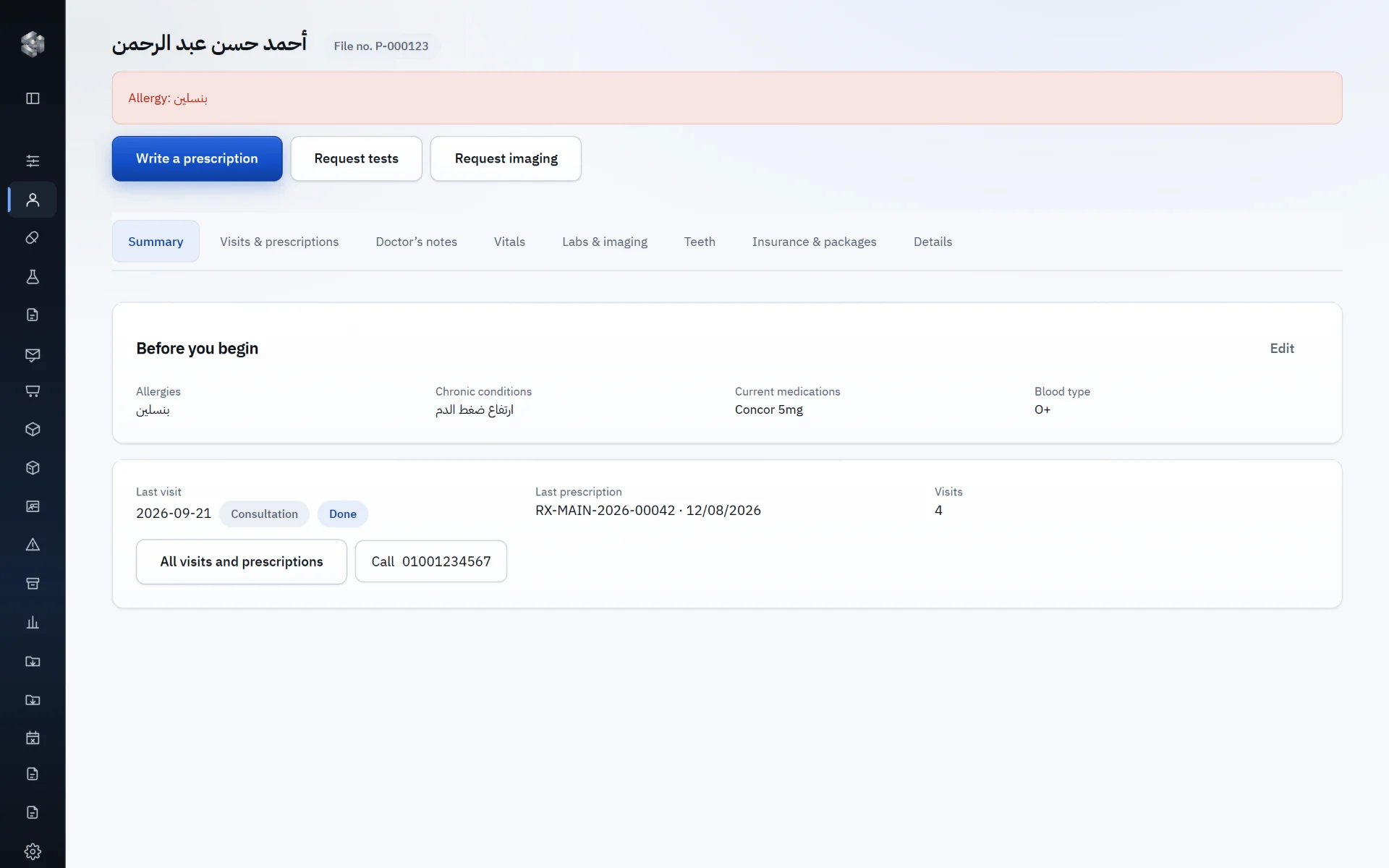
Before a doctor begins, they see “Before you begin”: allergies flagged in red at the top of the file, chronic conditions, current medication, blood type, the last visit and the last prescription. No digging through notes, no question asked twice.
- 02
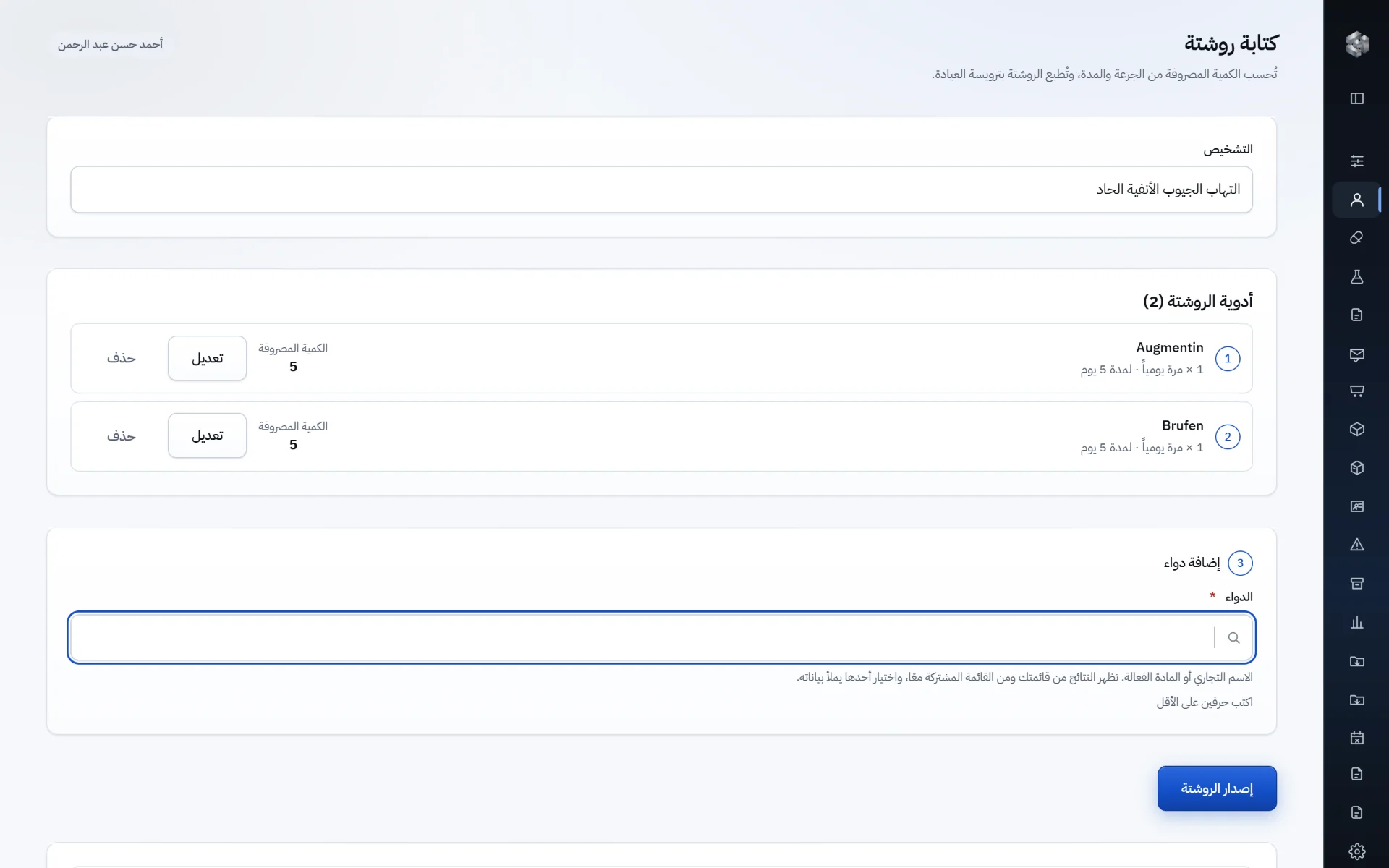
A prescription in seconds
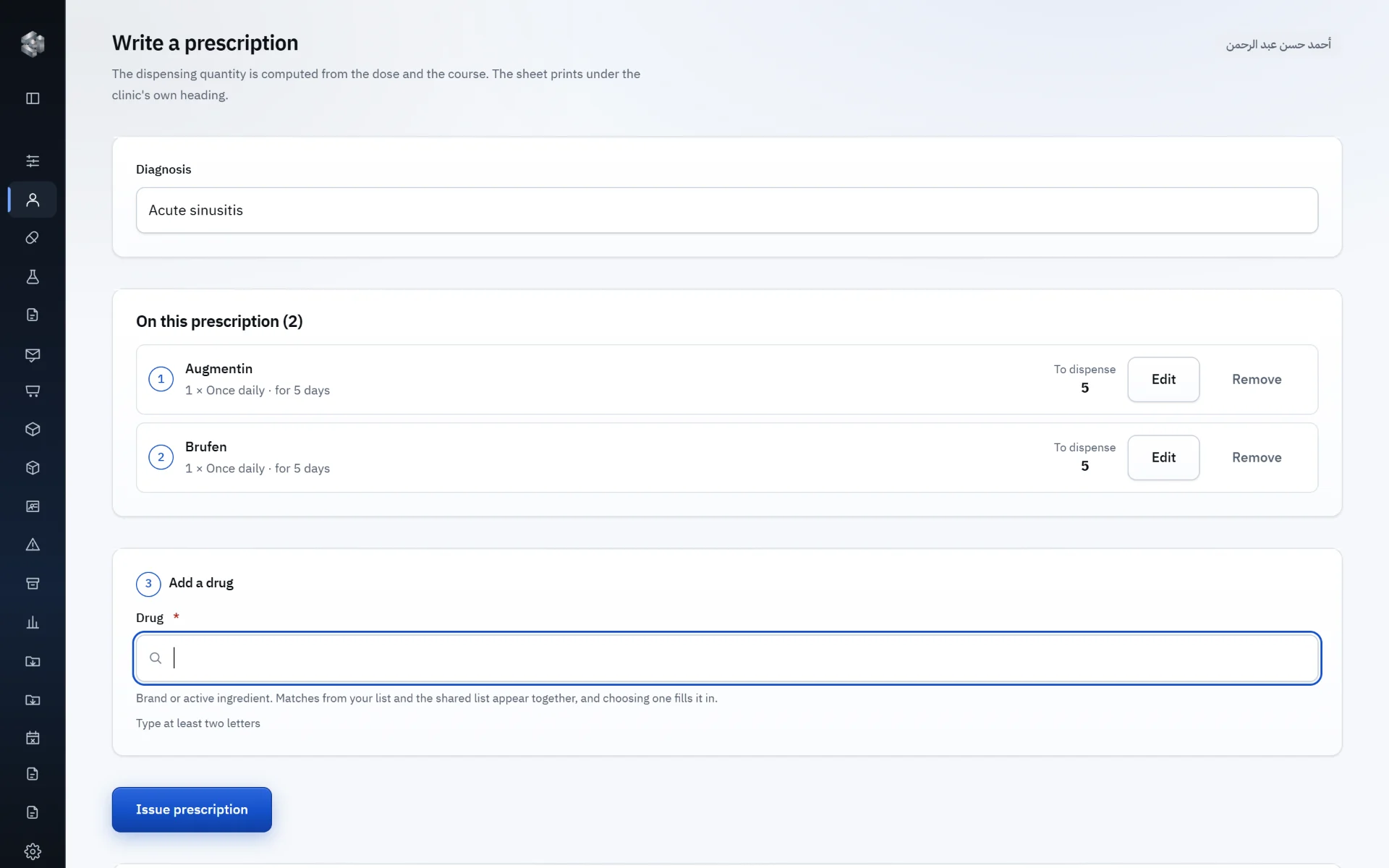
Two letters bring up medicines from the clinic’s own list and a shared list of more than 12,000 medicines on the Egyptian market. Choose the dose and the course; the quantity to dispense is worked out for you.
- 03
A waiting list that runs itself
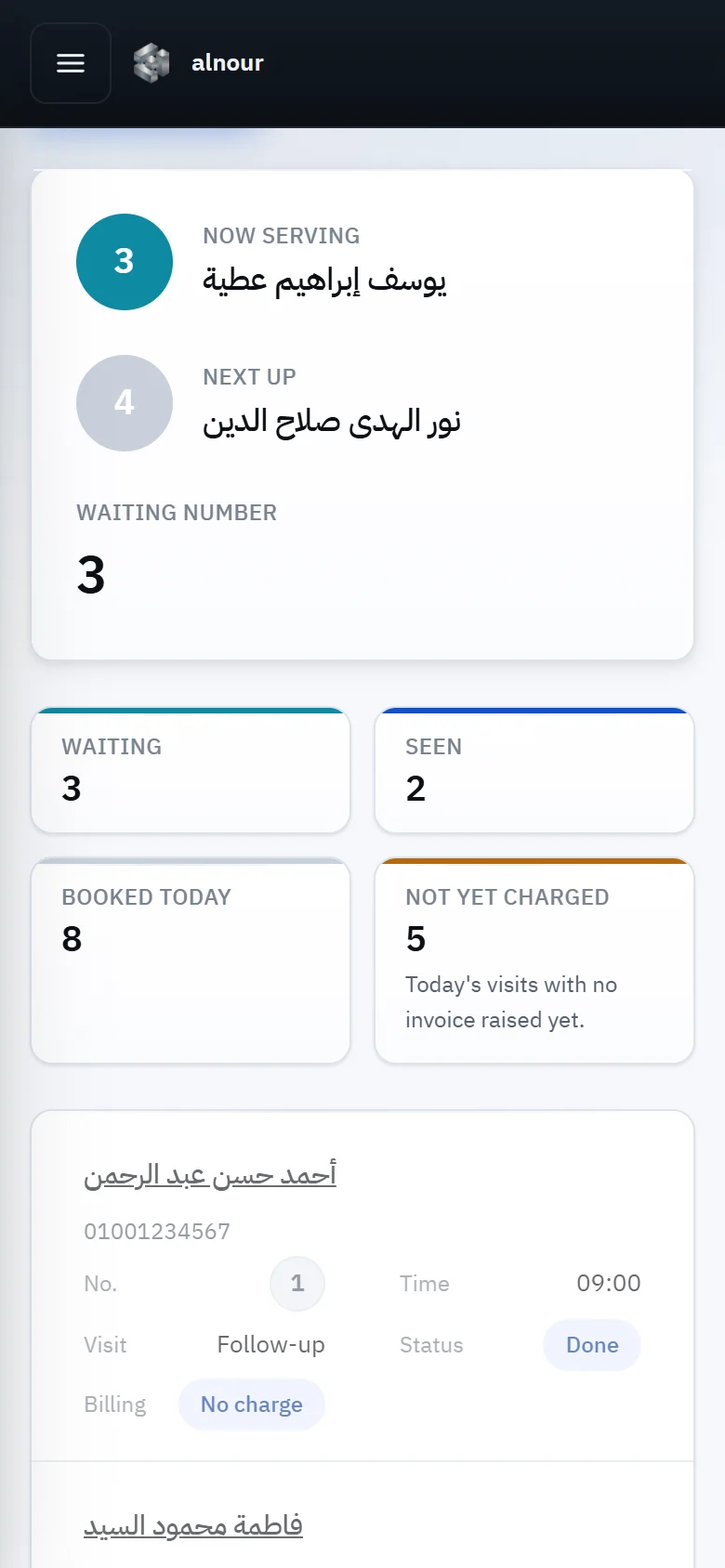
Each doctor has their own list and queue numbers: who is being seen, who is next, how many are waiting, how many booked today. Patients book from a page in the clinic’s name, and the request reaches the desk to accept or decline.
- 04
No visit slips past the invoice
Today’s visits that have no invoice yet are counted and shown, so revenue doesn’t walk out of the door unrecorded. Packages track the sessions left and the instalments to the last one.
- 05
Insurance from invoice to settlement
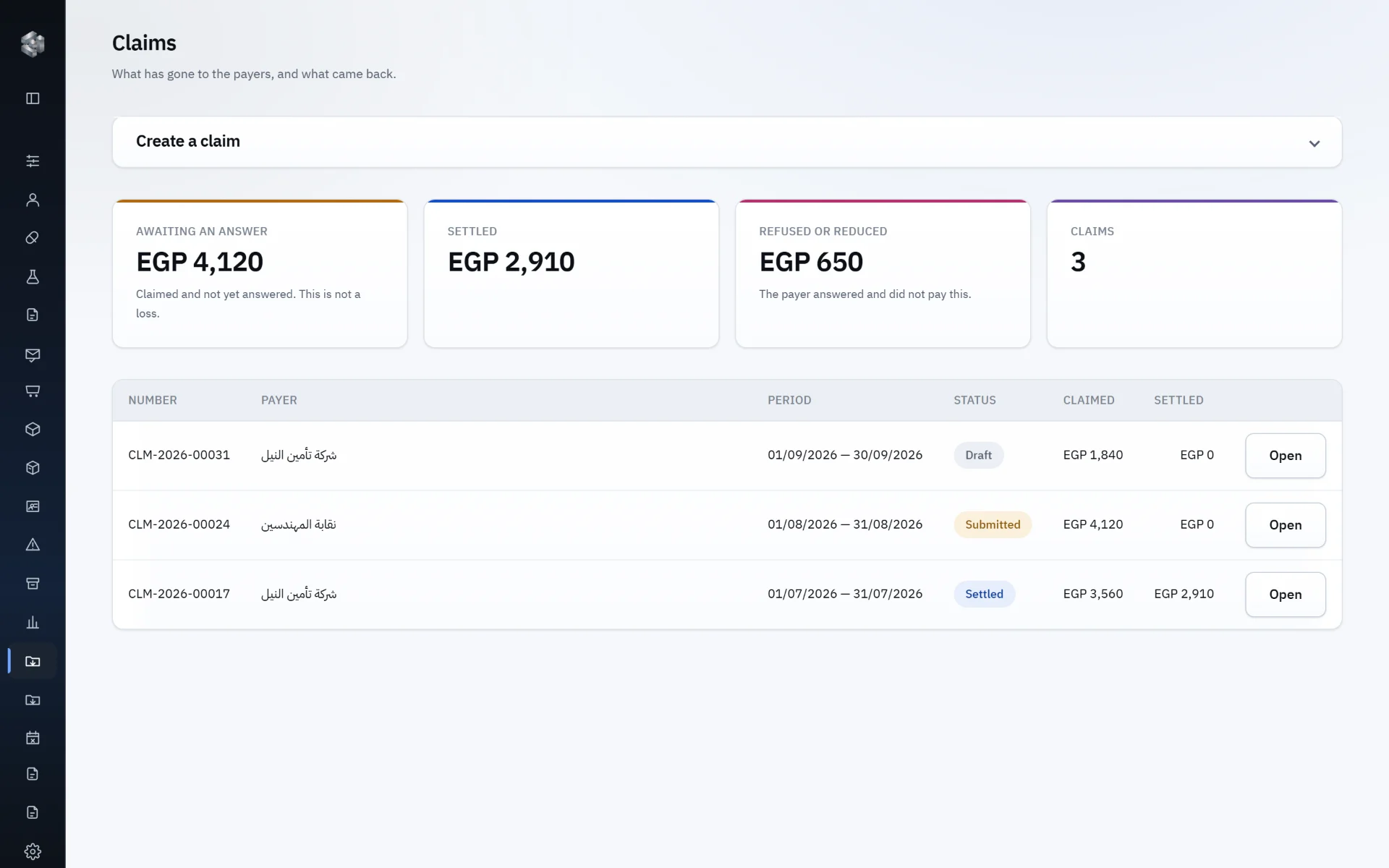
Each payer has its contract prices, coverage and patient share. Claims are assembled from the invoices themselves, and what was paid, refused or reduced is tracked — nothing typed twice.
- 06
The clinic doesn’t stop when the internet does
Notes and prescriptions carry on offline and sync when the connection returns, with checks that keep copies from clashing. What needs the server’s word, such as signing off a visit, waits for it on purpose.
- 07
Labs and imaging in one file
Tests and imaging are ordered from a shared catalogue, the patient carries a slip to the laboratory, and the results come back into the same file — readable only by those allowed to read them.
- 08
Each branch its data, each person what they need
Branches, and permissions for every role: the desk sees the desk’s work, the accountant the money, the doctor their patients’ files. And a log keeps who did what, and when.
Inside
Screens from MedOne.
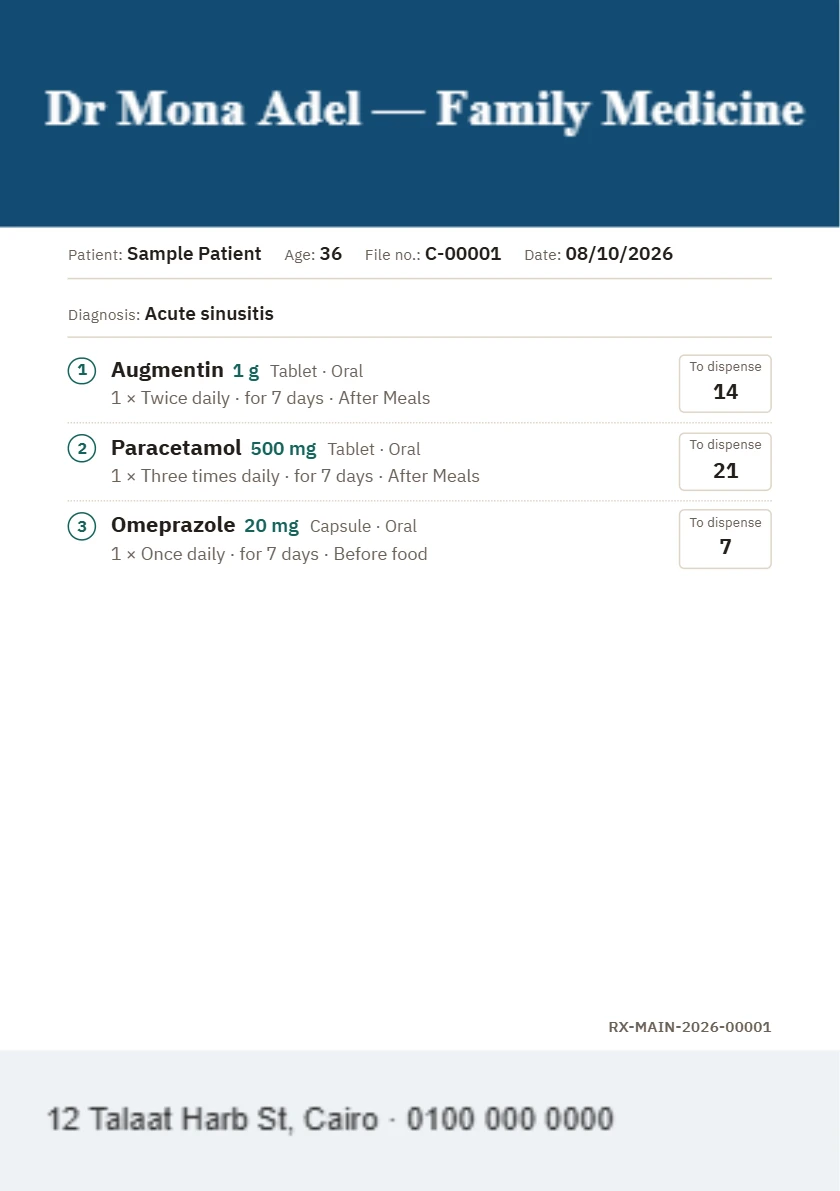
Your clinic’s prescription
Printed on your own clinic’s paper.
Upload your clinic’s stationery once, in settings: your header with your name and speciality, your footer with your address and numbers. MedOne keeps the space you reserve at the top and foot of the page clear and prints the prescription between them, page after page, however long it runs. If you’d rather not, it prints on MedOne’s own design.
- Your header and footer as you designed them, at the sizes you set in millimetres.
- The quantity to dispense worked out for every medicine from its dose and course.
- A number on every prescription, with the patient’s file number and the diagnosis.
- The same for lab requests, medical reports and certificates.
Two full languages
In the English doctors work in, and in full Arabic.
MedOne works in English — the language of the medical terms, drug names and diagnoses a doctor writes every day — and supports Arabic on every screen. Each user chooses their own language.
Questions
What doctors ask before they start.
Does it work in English and Arabic?
Yes. It works in English, the language of the terms and drug names a doctor writes, and supports Arabic on every screen. Each user chooses their own language.
What happens when the internet drops?
The clinic carries on: notes and prescriptions are written offline and sync on their own when the connection returns. What needs the server’s word, such as signing off a visit, waits for it, so nothing is signed off twice.
Can I print on my clinic’s own paper?
Yes. Upload your stationery once and set the space kept for the header and footer, and prescriptions, lab requests and reports print between them.
Does it suit a clinic with several branches?
Yes. Each branch keeps its own data, each person has their own permissions, and a log records everything that happens.
Who sees my patients’ data?
Only those with permission. Even a lab result’s values are withheld from anyone not allowed to read them; they see only that it has come back.
Does it handle insurance and packages?
Yes, as modules your clinic switches on when it needs them: payers with their prices, coverage and claims, and session packages with their instalments and what is left of them.
See MedOne in your clinic.
Request a demo, and we’ll get back to you within 24 hours.